100% on-device — zero network calls

Your photos.
Your device.
Nobody else's business.

SoloGallery indexes, searches, and groups your photos entirely offline. Face recognition and scene search run on your phone's own chip — nothing is ever uploaded, matched, or sold.

0 accounts 0 uploads 0 trackers 1 device
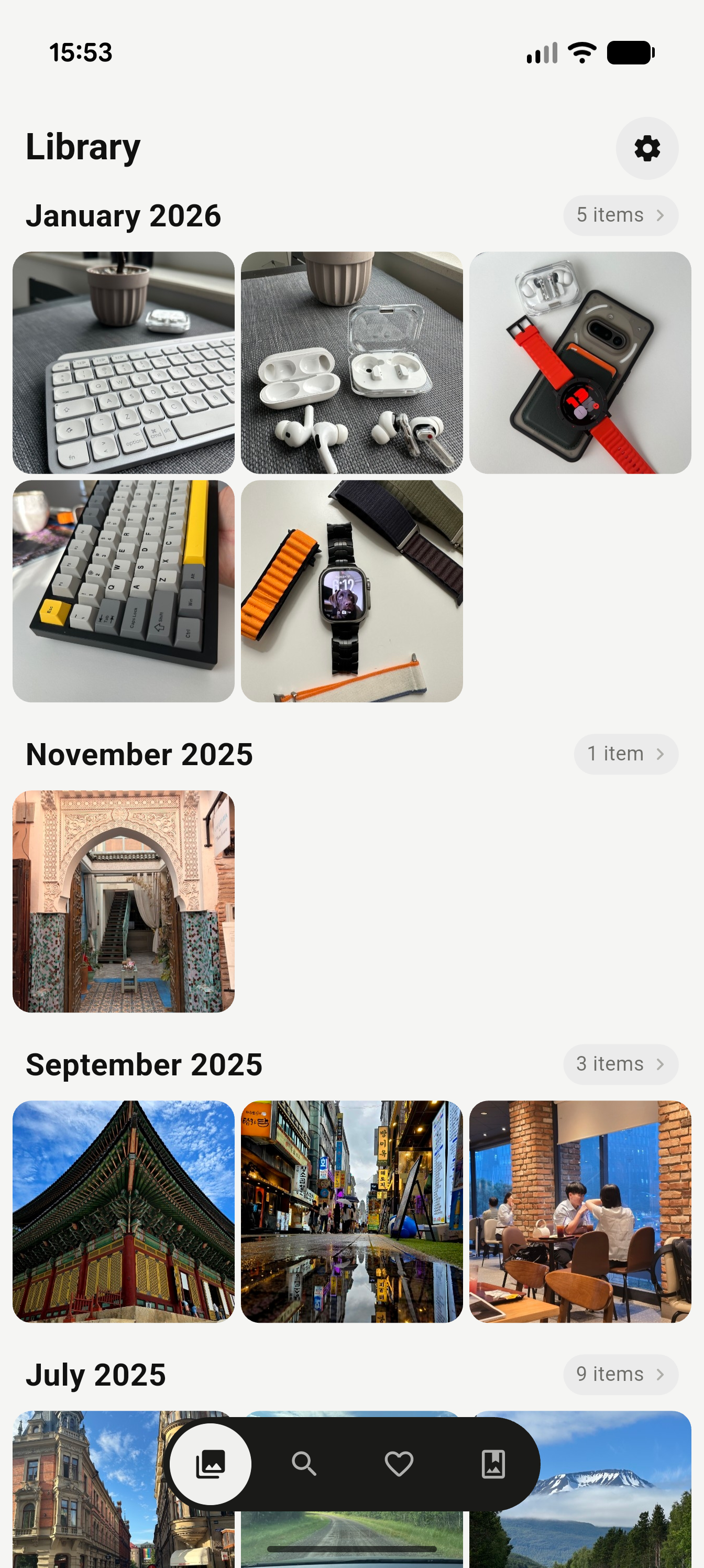
SoloGallery library grid, browsing photos by month

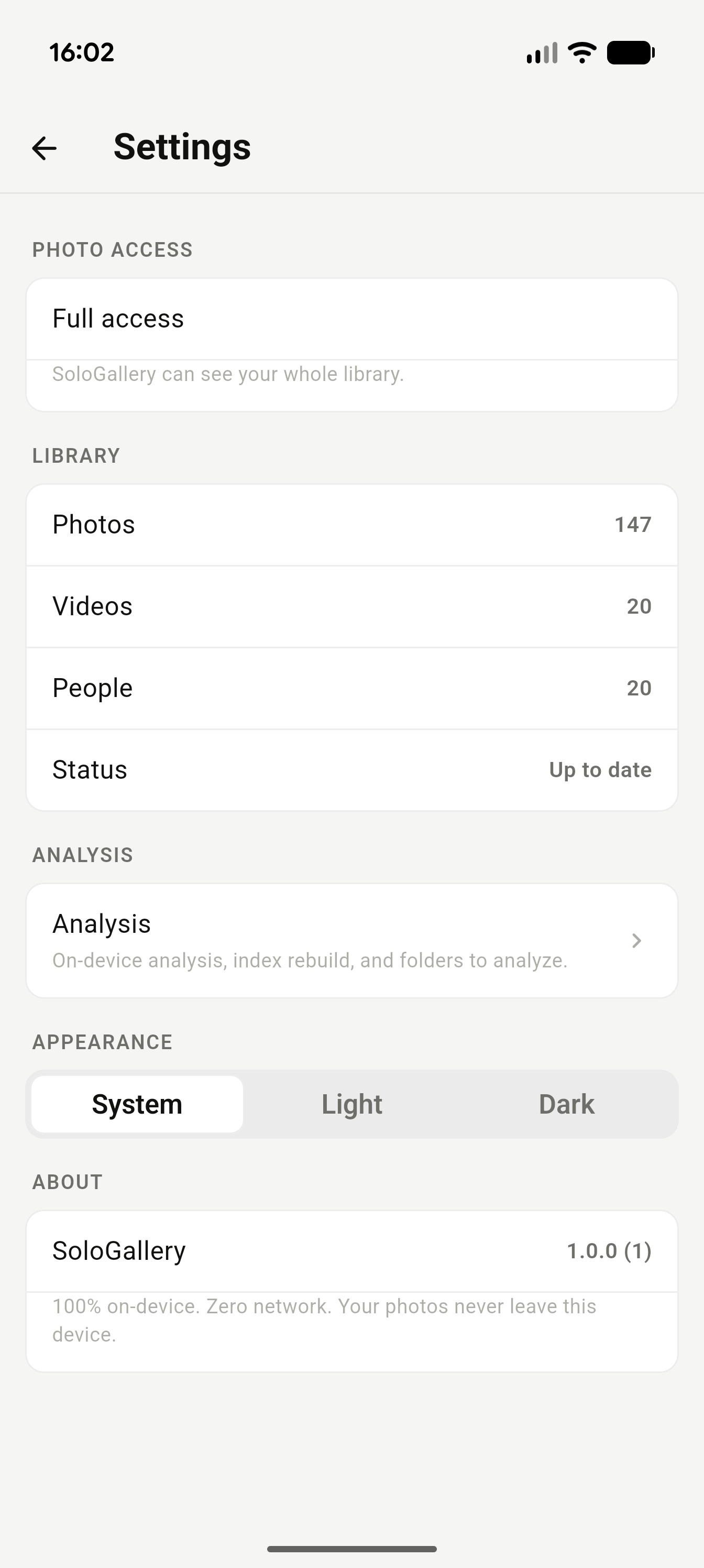
Library · 147 photos · 0 uploaded
Privacy, by construction

Nothing to leak. Nothing to sell.

There's no server to breach, no account to phish, no analytics SDK phoning home. Face grouping and scene search run on your phone's own machine learning — your library never has a network conversation with anyone.

Zero network calls

Nothing leaves the device after install. Not a thumbnail, not a hash, not a byte.

On-device ML

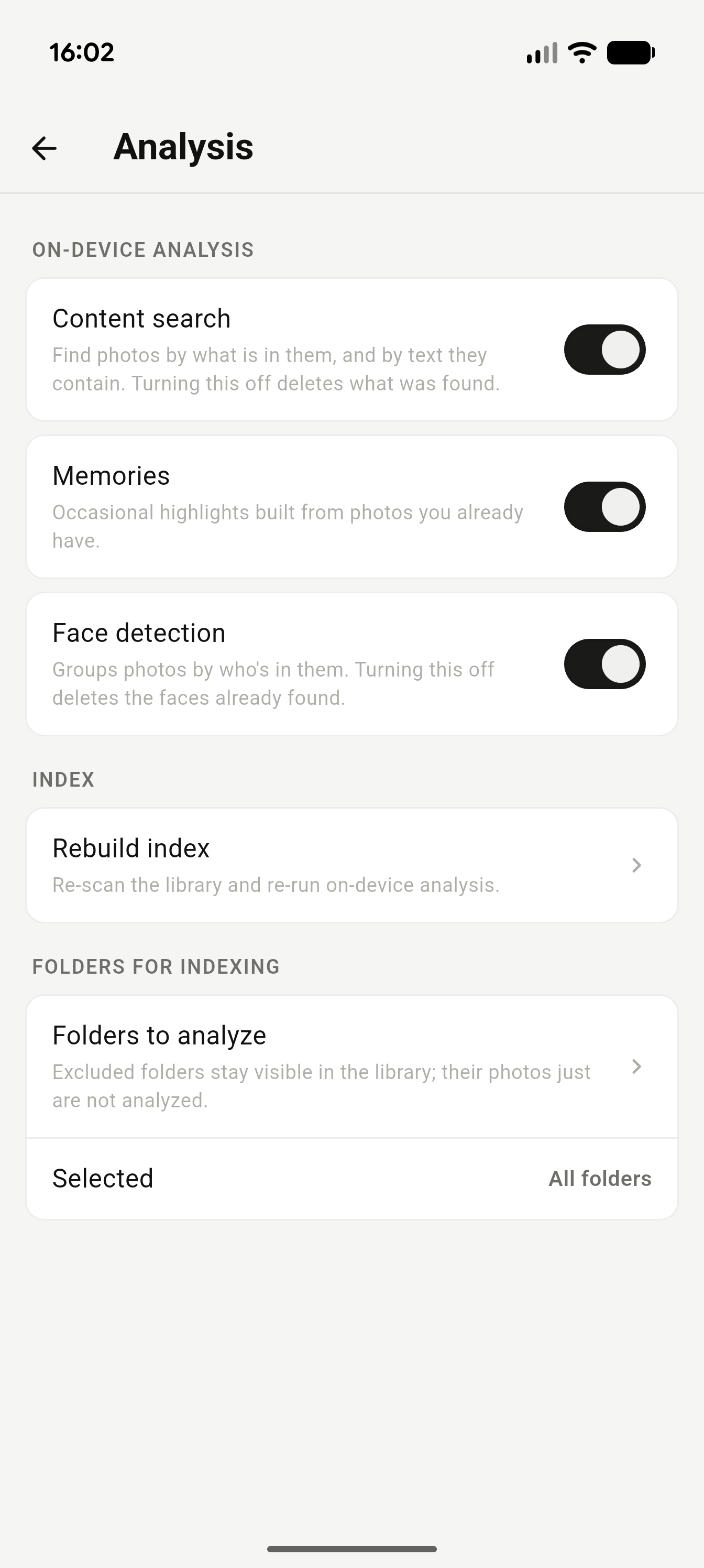
Face grouping and scene search run locally with Google ML Kit and TensorFlow Lite.

Non-destructive

Originals are never modified or duplicated. Edits are stored as separate instructions.

No account

No sign-up, no login, no email required. Ever.

Features

Everything a gallery should do

Seven screens, one library, zero compromises on speed.

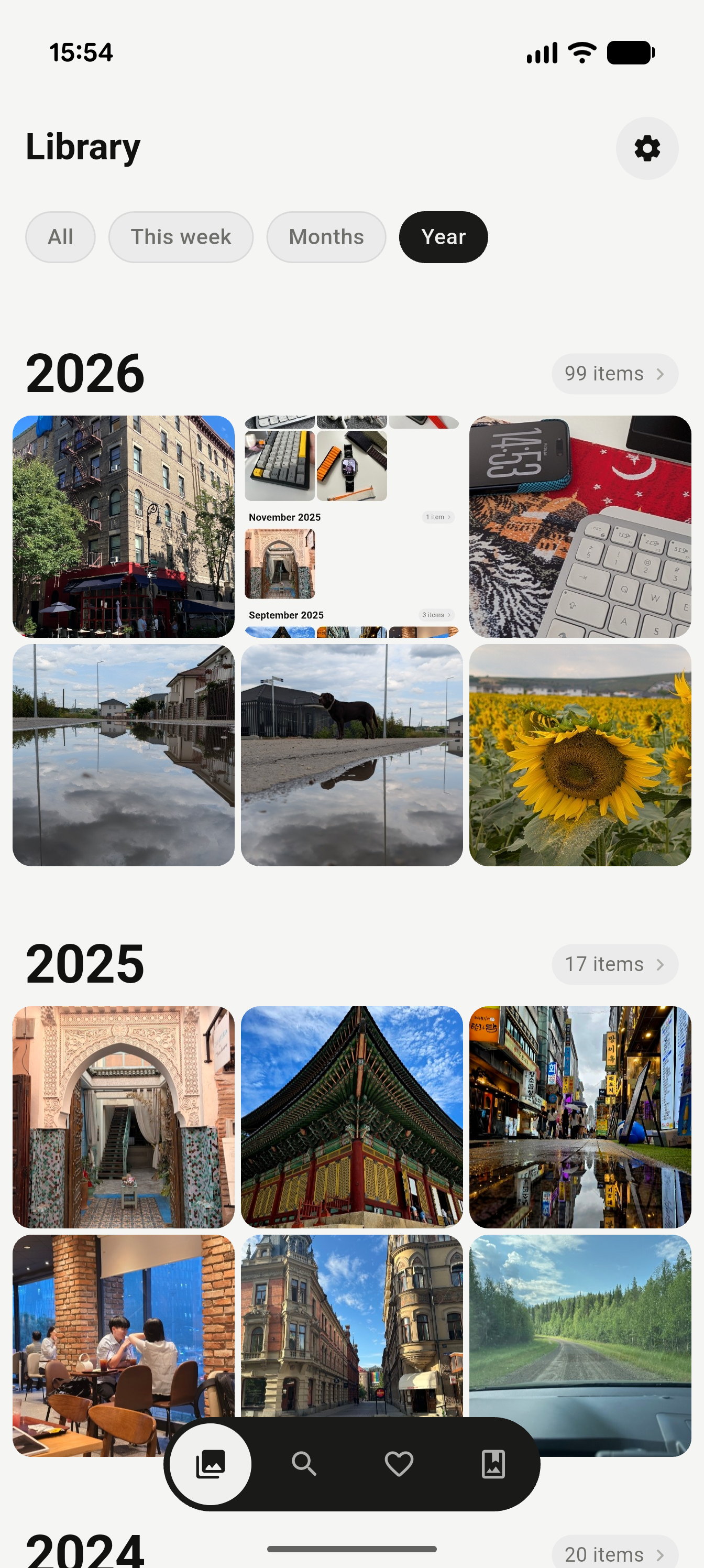
Library

Home gallery

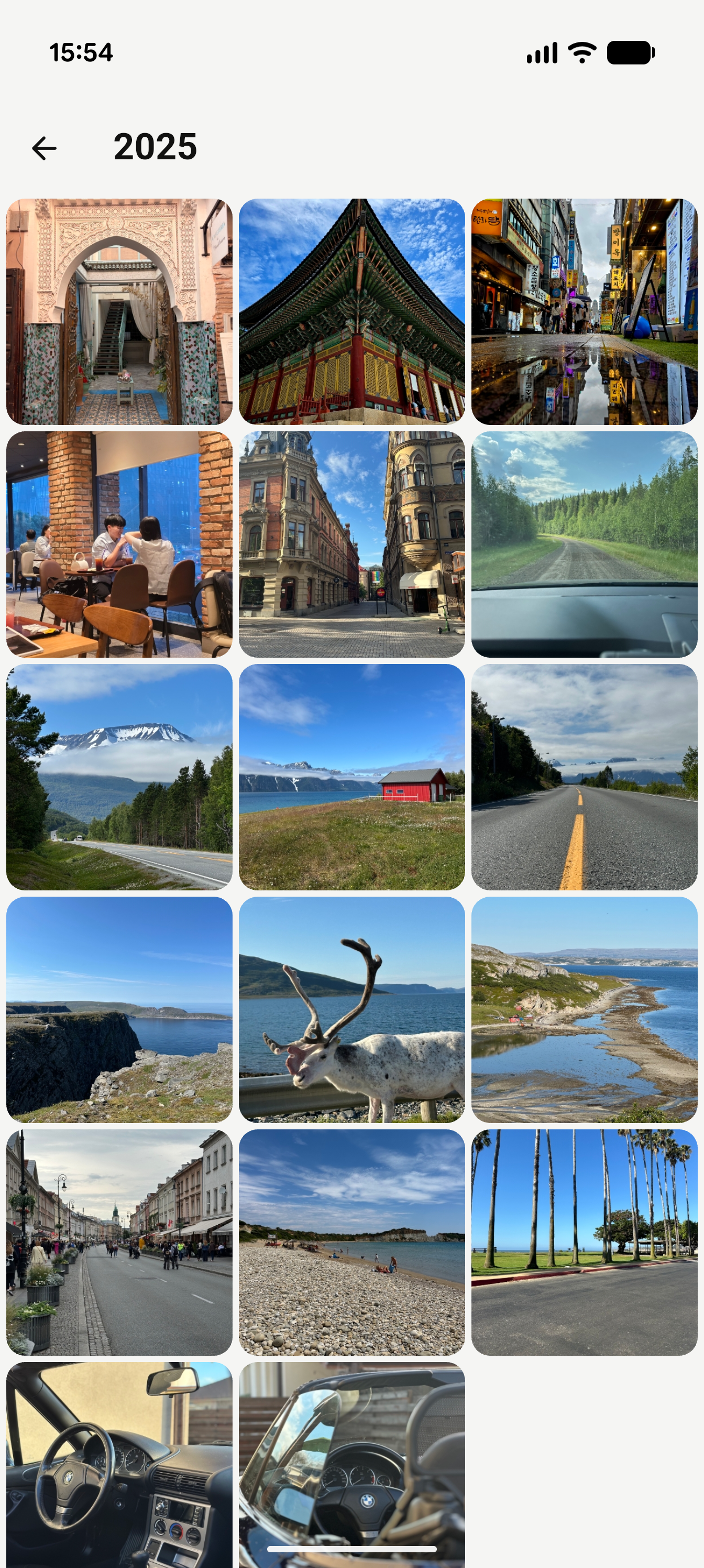
Browse by All, This week, Months, or Year — with auto-generated Memories pulled from photos you already have.

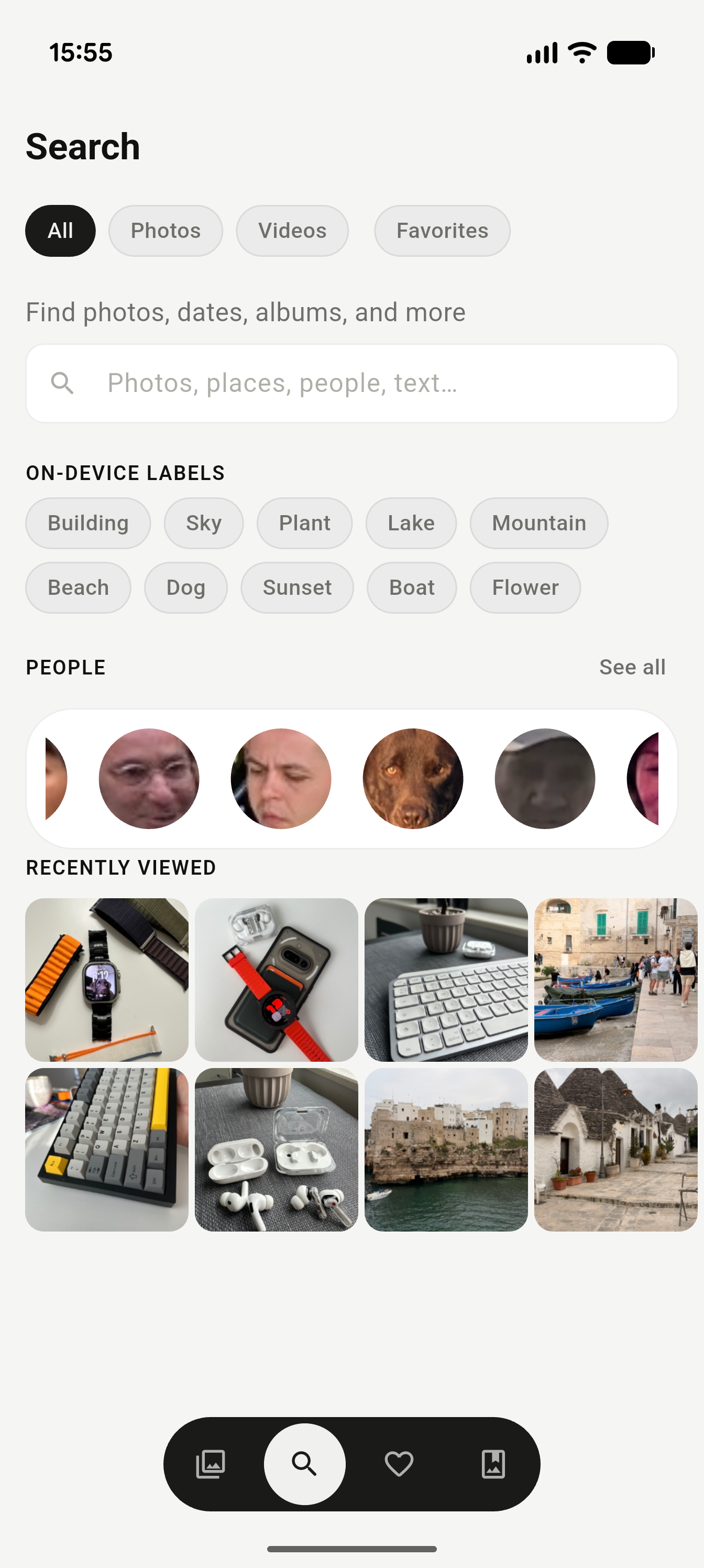
Search

Find anything

Search by people, places, or content using on-device labels — no cloud vision API ever sees your photos.

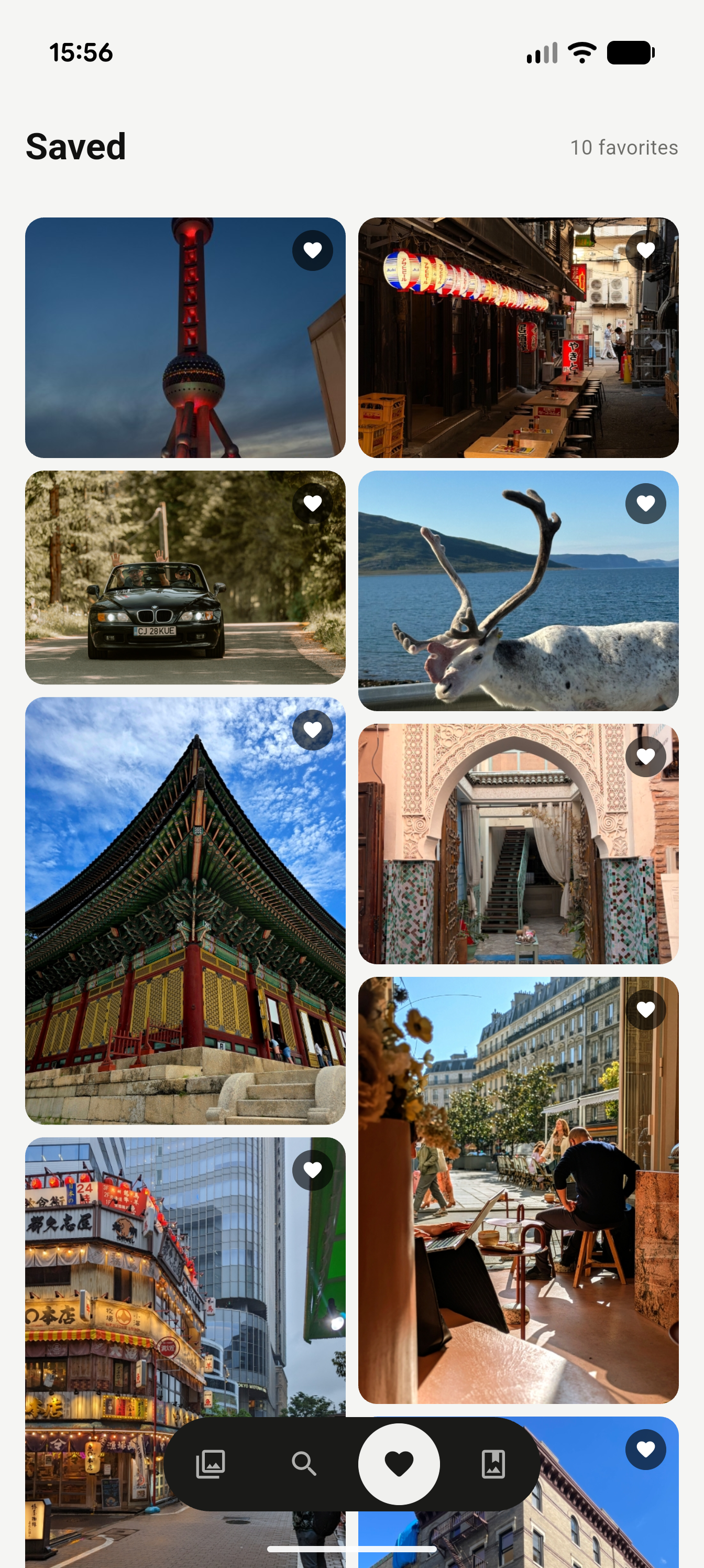
Saved

Favorites, curated

A masonry-style wall of everything you've hearted, one tab away.

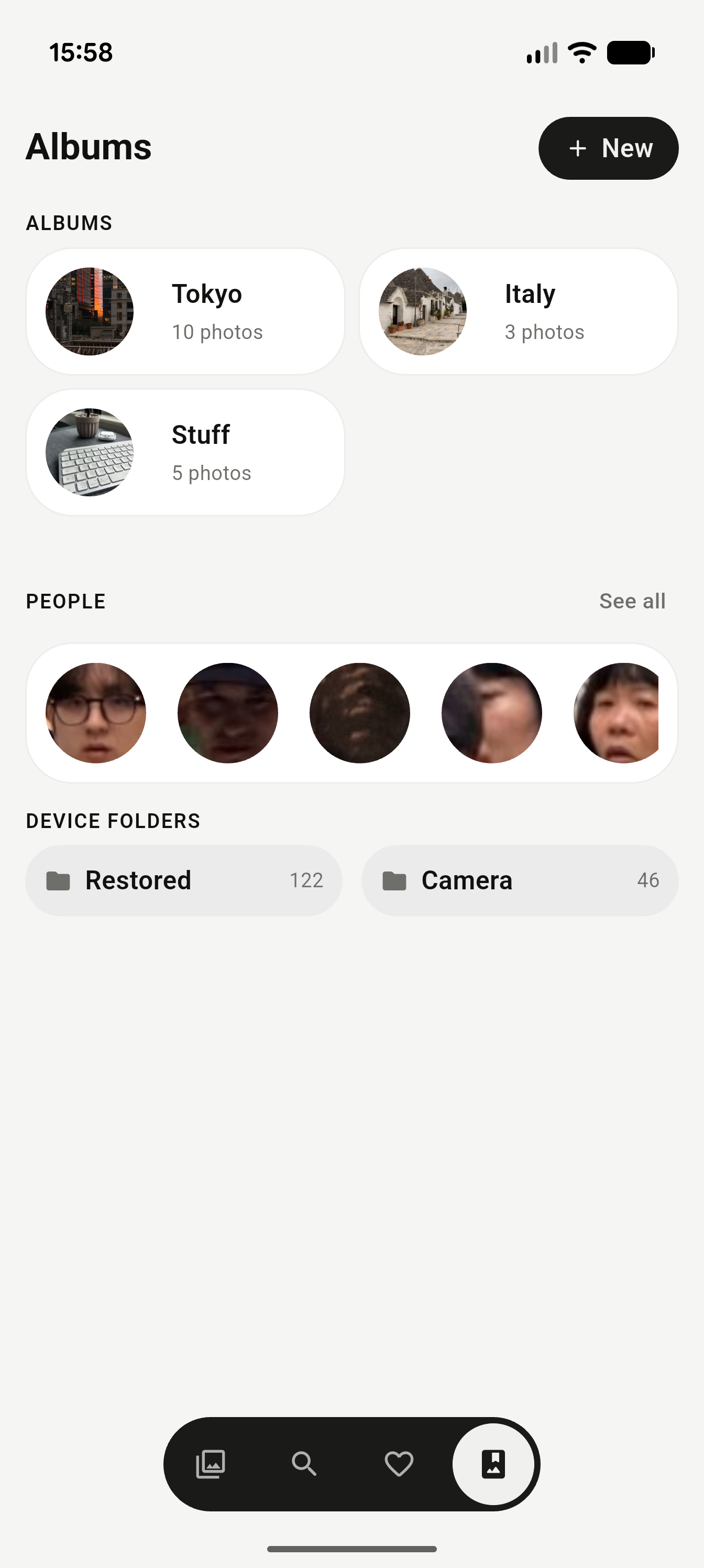
Albums

Your own collections

Group photos into custom albums, alongside the device folders you already have.

People

Face recognition

On-device face grouping, browsable as a strip of faces your phone already recognizes.

Viewer

Gesture-first detail view

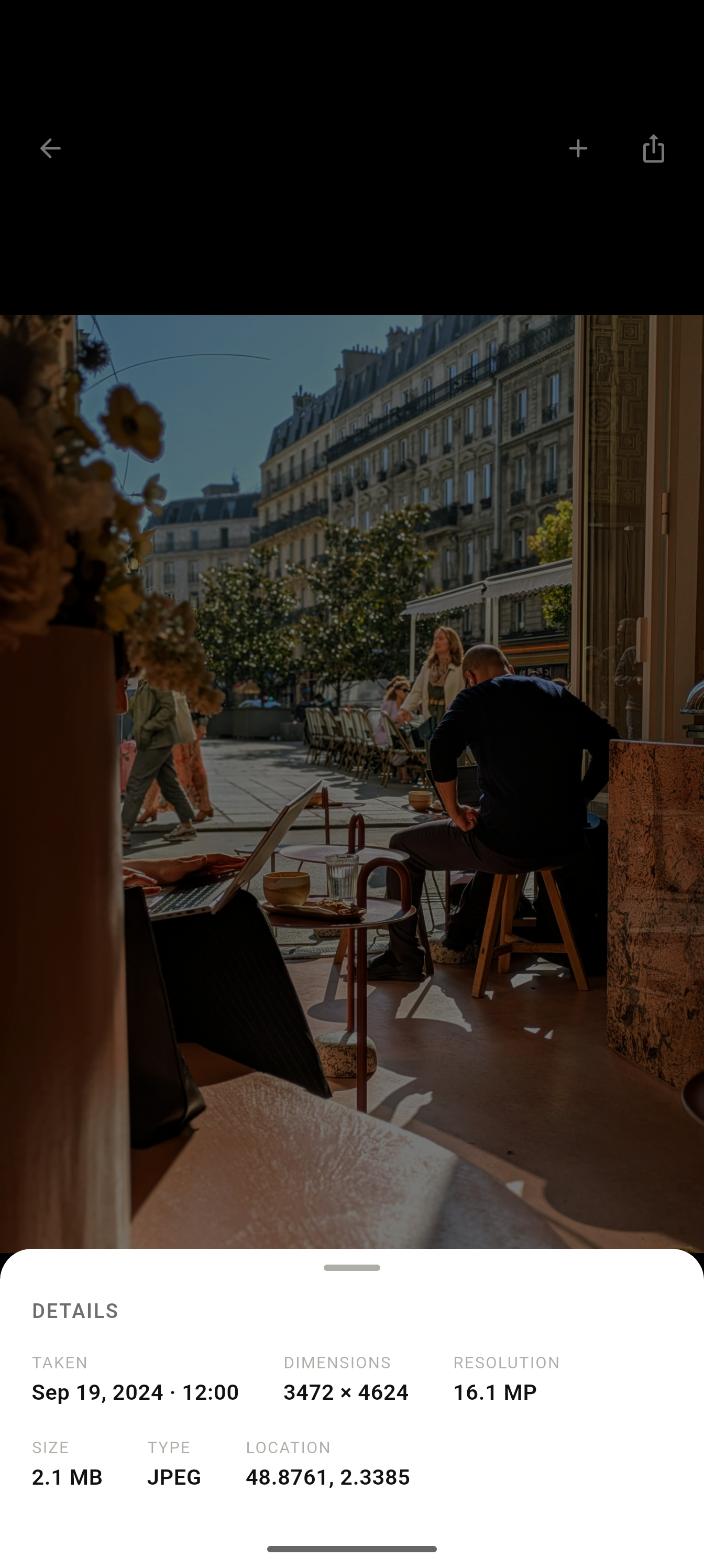
Swipe to navigate, pinch or double-tap to zoom, swipe up for EXIF, swipe down to close.

Engine

Background intelligence

Indexing runs quietly behind the scenes, and pauses the moment you leave the app.

Preview

Eleven frames, one honest contact sheet

No staged renders — this is the actual app, mid-scroll.

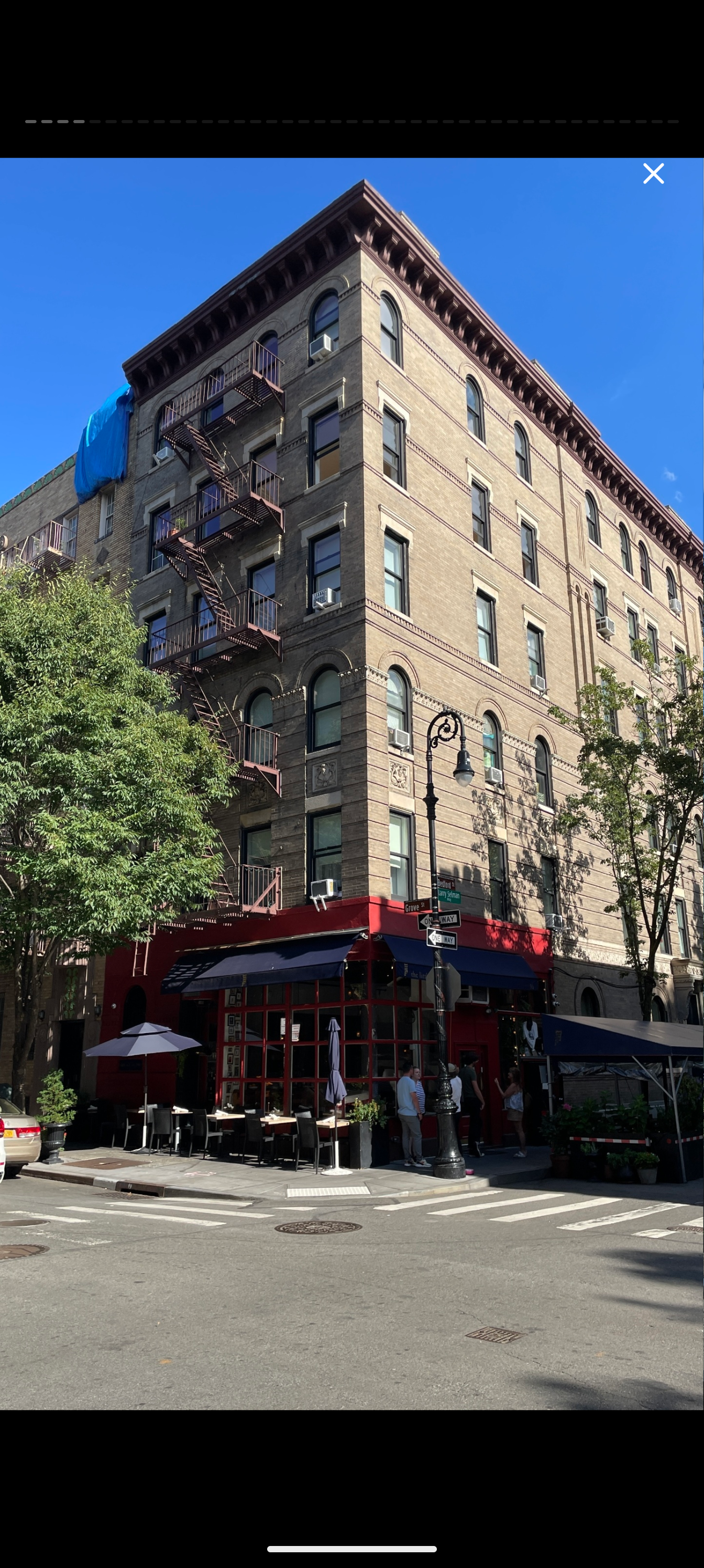
Library grid grouped by month
No. 01 — Library
Full-screen photo viewer
No. 02 — Viewer
Library filtered by year with quick filters
No. 03 — Library, filtered
Year view expanded across a full library
No. 04 — Library, year
Search screen with on-device labels and people
No. 05 — Search
Photo detail view with EXIF panel
No. 06 — Viewer, EXIF
Saved favorites in a masonry grid
No. 07 — Saved
Albums list with people strip and device folders
No. 08 — Albums
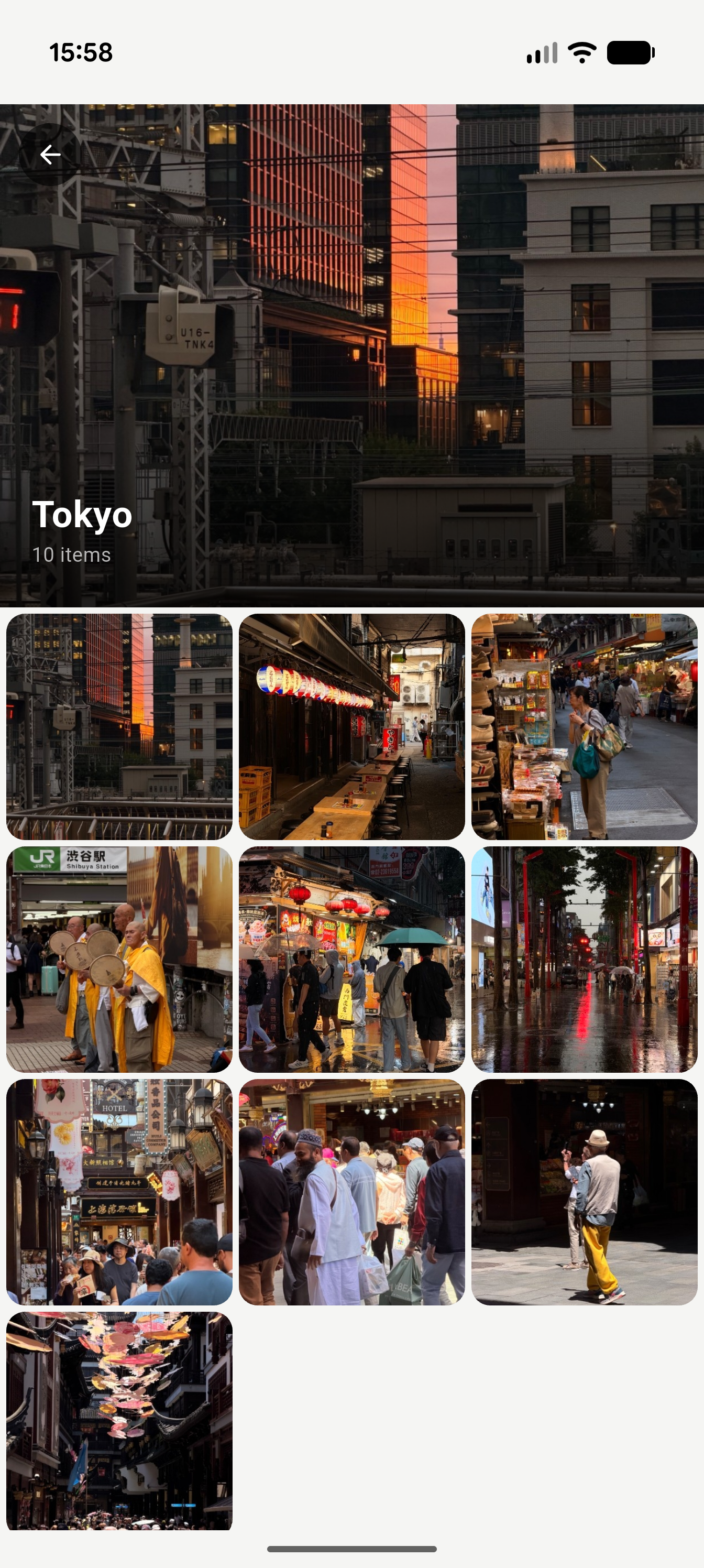
Tokyo album opened, showing ten photos
No. 09 — Albums, open
On-device analysis settings for search and face detection
No. 10 — Settings, analysis
Main settings screen showing full photo access and library counts
No. 11 — Settings
Coming soon

SoloGallery is finishing its roll.

iOS and Android, arriving soon. Leave your email if you want the one-time nudge when it ships — no list, no spam.

App Store — coming soon Google Play — coming soon
Notify me at launch

Free at launch • No ads planned • No account, ever